Bank transactions
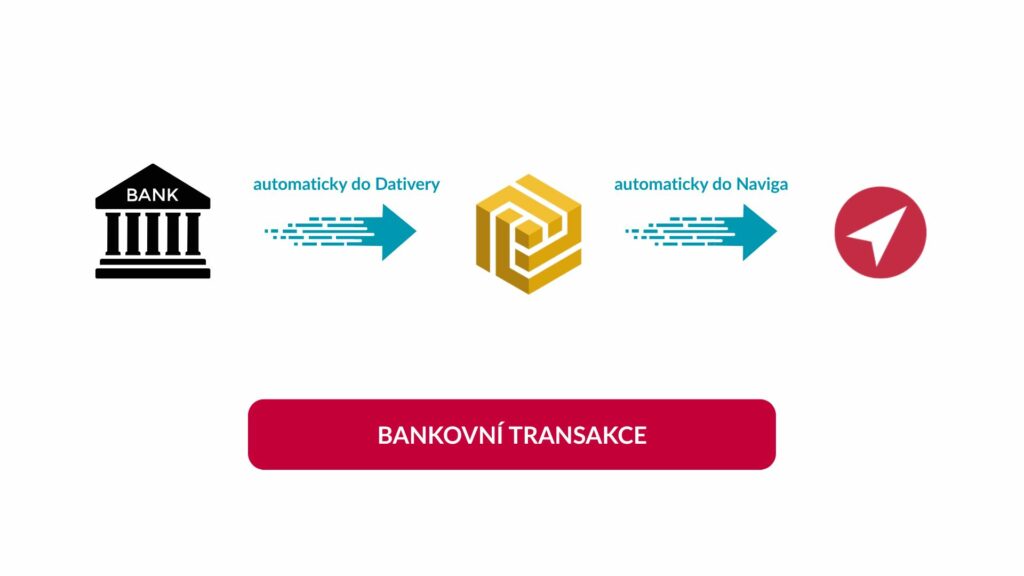
Navigo3 offers a Bank Transaction function that allows efficient matching of bank transactions with invoices. It works by connecting to the Dativery platform and simplifies and streamlines financial processes and increases visibility in accounting.
Contents
What is the Bank Transaction feature?
Who can use the Bank Transactions feature?
Benefits for your business
How does Banking Transactions work?
Who is the Banking Transactions feature for?
How to get started?
Summary
What is the Bank Transaction feature?
The Bank Transactions function in Navigo3 allows you to automatically send bank payments to Navigo, you can find this function under the Economy tab.
Who can use the Bank Transactions feature?
A user with Super User or Accountant rights has the ability to use Banking transactions in Navigo.
Benefits for your company
- Speed up payments: automatic import of bank transactions with manual matching to invoices speeds up the payment process.
- Data accuracy: reduces the risk of accounting errors through automation.
- Transparency: allows better monitoring of cash flow and financial situation of the company.
- Saves time: minimizes manual work and allows you to focus on strategic tasks.
How do Banking Transactions work?
After connecting with Dativery, transactions from connected bank accounts are imported into Navigo3. Each transaction contains information such as date, amount, variable symbol, message for recipient and more. Transactions are color coded: receipts in light blue, expenses in light green. where they can then be manually sorted to individual invoices, both issued and received. You can also use the option to ignore the payment and not assign it. This speeds up the reimbursement process and ensures the accuracy of the financial records.
Who is the Bank Transactions feature for?
This feature is ideal for accounting teams, finance managers, back office management and anyone who needs to effectively manage the financial flow of a company. It makes it easy to track and manage payments, which is key to maintaining a healthy cash flow.
How to start?
In order to use the Bank Transactions function, you need to set up the Dativery platform in your company and then connect Navigo to it. Once successfully connected, the transactions are automatically imported and ready to be paired with invoices. For detailed information on setting up and using this feature, please contact our technical support or expert consultants.
Summary
With the Bank Transactions feature in Navigo3, you get a tool that will significantly streamline your company’s financial processes. Automating the matching of transactions with invoices not only saves time, but also brings greater accuracy and clarity to your accounting.
For more information and setup support, contact our customer support team or expert consultants.